
As we all know that Microsoft Office is popular with most of users, Building on the success of Microsoft Office 2007, Office 2010 has been upgraded to provide minimal impact to computer performance and user friendly functionality. Microsoft will unveile Office 2010 for consumers soon.

Office 2010 will implement the ISO compliant version of Office Open XML which was standardized as ISO 29500 in March 2008. Microsoft plans to offer a Web-based version of its Office productivity suite, known as Office Web, that will debut with the release of Office 2010. Office Web will include online versions of Word, Excel, PowerPoint and OneNote.
What's new of Microsoft Office 2010
Office 2010 shipping in 32-bit and 64-bit versions.
Use "Service Packs" to update software.
A whole new widget system, dubbed "Ribbon".
Great experience with user friendly functionality.
Microsoft Office 2010 Components
Word - Microsoft Word is a word processor and was previously considered to be the main program in Office. Its proprietary DOC format is considered a de facto standard, although Word 2007 can also use a new XML-based.
Excel - Microsoft Excel is a spreadsheet program. It was originally
a competitor to the dominant Lotus 1-2-3, but it eventually outsold it and became the de facto standard. It is available for the Windows and Mac platforms.
PowerPoint - Microsoft PowerPoint is used to create slideshows, composed of text, graphics, movies and other objects, which can be displayed on-screen and navigated through by the presenter or printed out on transparencies or slides.

Features
Screenshot of Excel 2010

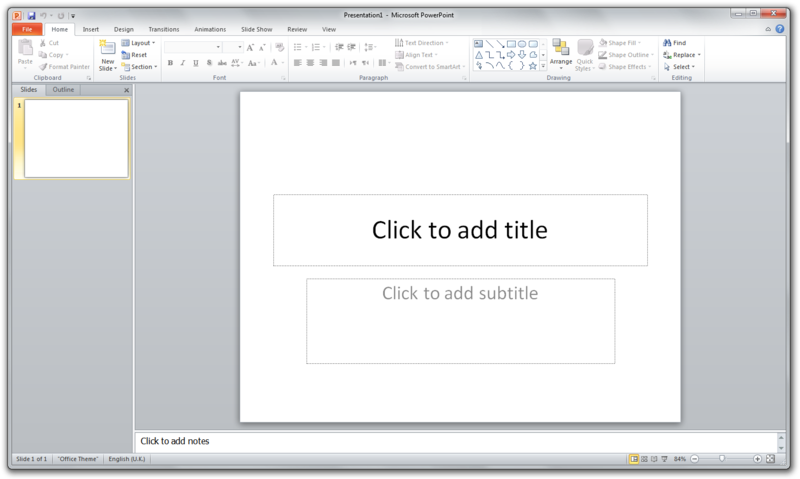
Screenshot of PowerPoint 2010
Microsoft Office 2010 will implement the ISO/IEC compliant version of Office Open XML (OOXML) which was standardized as ISO/IEC 29500:2008 in March 2008, though will also have the option of implementing as a setting the ISO/IEC compliant version of OpenDocument Format (ODF) v1.1, beyond 1.0 which was standardized as ISO/IEC 26300:2006 in May 2006.
New features are also said to include a built-in screen capture tool, a background removal tool, a protected document mode, new SmartArt templates and author permissions. The 2007 "Office Button" will be replaced with a menu button that leads to a full-window file menu, known as Backstage View, giving easy access to task-centered functions such as printing and sharing. A refined Ribbon interface will be present in all Office applications, including Office Outlook, Visio, OneNote, Project and Publisher. Office applications will also have functional jumplists in Windows 7, which would allow easy access to recent items and tasks relevant to the application.
Confirmed Features Include:
* Background Removal Too
* Letter Styling
* Screen Capturing and Clipping tools
* "Mark As Final" Function
* Jumplist
Download Office 2010 Here
.


